
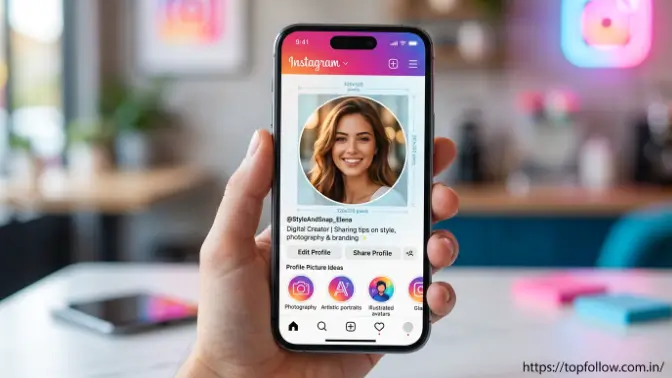
Welcome to topfollow. Your Instagram profile picture is the first visual element that people see when they open your account. It works as your identity on Instagram and helps visitors quickly understand who you are or what your brand represents. A clear, professional, and attractive profile image can create a positive impression, increase trust, and make your account easier for people to remember.
Choosing the right Instagram profile picture requires more than simply uploading any photo. Factors like image size, quality, lighting, background, and design style affect how your profile looks. This guide explains the important details of creating a perfect Instagram profile picture, including recommended sizes, creative ideas, editing techniques, common mistakes to avoid, and useful tips to make your profile more appealing.
What Is an Instagram Profile Picture and Why Does It Matter?
An Instagram profile picture is the small circular image that represents your identity on Instagram. It helps people recognize your account when they see your posts, comments, or messages. Personal accounts usually use clear photos, while businesses and creators often use logos or custom designs. A professional and attractive profile picture builds trust, improves credibility, and makes your account look more memorable and engaging.
How Your Profile Picture Affects Your Instagram Presence
Your Instagram profile picture acts as a visual identity for your account. It helps people remember your profile and connect your image with the content you share. Whether you are an individual, influencer, or business, a consistent and well-designed profile picture can improve your overall Instagram presence and make your account easier to recognize.
A strong profile image helps improve:
- Brand recognition: Makes your account easier to identify.
- Audience trust: Creates a more authentic and reliable impression.
- Professional appearance: Gives your profile a polished look.
- Profile engagement: Encourages users to explore your account.
- Content consistency: Creates a stronger connection between your image and content.
For influencers, businesses, and creators, keeping the same profile picture across different social media platforms can strengthen personal branding. A consistent visual identity helps followers recognize your account quickly and builds a stronger relationship with your audience.
Best Instagram Profile Picture Size and Requirements
Choosing the correct Instagram profile picture size and requirements is important because Instagram automatically displays profile images in a circular format. A properly sized image looks clear, professional, and attractive, while an incorrect size may appear blurry, poorly cropped, or may hide important details. Using the right dimensions, format, and quality settings helps ensure that your profile picture looks good on every device and creates a better impression on visitors.
The recommended Instagram profile picture size is:
| Requirement | Recommended Setting |
| Image Size | 320 × 320 pixels or higher |
| Aspect Ratio | 1:1 square |
| Format | JPG or PNG |
| Display Shape | Circular |
Even though Instagram shows profile pictures in a small size, uploading a high-resolution image helps maintain clarity and prevents quality loss after compression. A properly optimized image allows your face, logo, or design to remain visible and professional.
Instagram Profile Picture Size for Mobile and Desktop
Your Instagram profile picture appears differently depending on the device being used. On mobile phones, it is displayed as a small circle beside your username, comments, and messages, while on desktop screens, it may appear slightly larger.
Because Instagram crops profile pictures into a circular shape, it is important to keep the main subject, such as your face, logo, or important design elements, in the center area. This prevents important details from being cut off and ensures your profile image remains recognizable across all devices.
Recommended Image Quality Settings
A high-quality Instagram profile photo should have:
- Good lighting: Makes the image brighter and clearer.
- Sharp details: Helps people recognize the photo or logo easily.
- Clear focus: Keeps the main subject visible.
- Balanced colors: Creates a professional appearance.
- Proper cropping: Ensures the image fits correctly in the circular frame.
Avoid using screenshots, blurry photos, or heavily compressed images because they reduce image quality and make your profile look less professional. A clear and well-optimized Instagram profile picture helps build trust and creates a stronger visual identity for your account.
How to Choose the Perfect Instagram Profile Picture
Choosing the perfect Instagram profile picture is an important step because your profile image represents your identity and creates the first impression on visitors. The right image depends on the purpose of your account, whether it is a personal profile, business page, or creator account. A personal profile usually needs a friendly and recognizable photo, while a business or creator account requires an image that represents the brand, services, or content style. A well-selected profile picture helps people understand your account quickly and makes your profile look more professional.
A good profile image should be:
- Easy to recognize: Helps users identify your account quickly.
- Relevant to your account: Matches your content, niche, or brand.
- Visually attractive: Creates a positive first impression.
- High quality: Looks clear and professional.
- Consistent with your brand: Matches your overall style and identity.
For personal accounts, choose a photo where your face is clearly visible with proper lighting and a clean background. For professional accounts, select an image that reflects your expertise or brand identity. The right Instagram profile picture builds trust, improves recognition, and makes your account more appealing.
Instagram Profile Picture Ideas for Personal Accounts
If you use Instagram for personal branding, lifestyle content, or everyday sharing, your profile picture should show your personality and help followers connect with you. A clear and attractive image can make your account look more authentic and memorable. Some effective ideas include:
- Professional portrait: Creates a clean and trustworthy appearance.
- Lifestyle photo: Shows your personality and interests.
- Simple background image: Keeps attention focused on you.
- Creative close-up: Adds a unique and stylish look.
- Minimal aesthetic photo: Gives a modern and clean appearance.
A confident and natural photo can create a friendly impression and encourage people to engage with your profile. The image should match your content style; for example, photographers can use creative portraits to show their skills, while travel creators can choose a meaningful travel photo that represents their niche.
Instagram Profile Picture Ideas for Business Accounts
For businesses, an Instagram profile picture should clearly represent the brand and make it easier for customers to recognize the account. Since the image appears in a small circular format, the design should be simple, professional, and easy to understand. Popular options include:
- Company logo: Improves brand recognition.
- Brand symbol: Creates a unique identity.
- Product image: Highlights your main offering.
- Brand color design: Maintains visual consistency.
- Minimal text logo: Keeps the image readable.
A business profile picture should avoid complicated designs, too much text, or unnecessary details because they may not appear clearly in a small size. A simple and memorable design helps create a stronger professional image and makes your brand easier to recognize on Instagram.
Read also: Instagram Pro APK Download: Latest Version & Features
How to Create an Attractive Instagram Profile Picture Step by Step
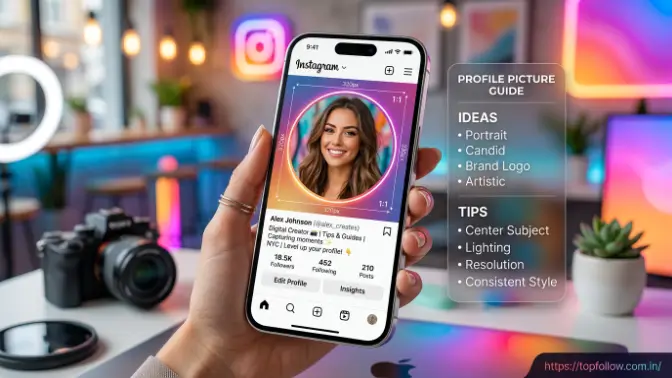
Creating an attractive Instagram profile picture is an important process because your profile image represents your identity and influences how people view your account. A professional-looking profile picture does not always require advanced design skills; with the right photo selection, editing, and adjustments, you can create an image that looks clear, appealing, and trustworthy. Whether you are creating a personal profile, business account, or creator page, following the correct steps helps you achieve a better final result.
Step 1: Choose the Right Photo
The first step is selecting a high-quality photo that properly represents you or your brand. For personal accounts, choose a clear image where your face is visible, while businesses can use logos or branded designs that reflect their identity. A good photo should have proper lighting, a focused subject, and a clean appearance.
Avoid using blurry images, dark photos, or pictures with distracting backgrounds because they can make your Instagram profile look less professional. A clear and relevant image helps users recognize your account quickly and creates a stronger first impression.
Step 2: Improve Lighting and Colors
Lighting and colors can significantly improve the overall look of your Instagram profile picture. A well-lit image appears more professional and helps important details stand out. You can adjust brightness, contrast, and colors to make the photo cleaner and more attractive.
However, avoid excessive filters or unnatural edits because they can make the image look unrealistic. The goal should be to enhance the original photo while maintaining a natural and professional appearance.
Step 3: Edit the Background
A simple and clean background helps the main subject of your profile picture get more attention. Removing unnecessary objects or using a minimal background style can make the image look more polished and professional.
For personal profiles, a plain background can highlight your face, while businesses can use brand colors or simple designs to maintain consistency. A well-edited background improves the overall quality and makes your profile picture easier to recognize.
Step 4: Crop Correctly
Proper cropping is important because Instagram automatically displays profile pictures in a circular format. Keep your face, logo, or important design elements in the center area to prevent them from being cut off.
A balanced crop ensures that your profile picture looks clear on mobile devices, desktop screens, and other Instagram sections. Avoid placing important details near the edges because they may disappear after Instagram applies the circular crop.
Step 5: Upload and Check the Appearance
After editing your Instagram profile picture, upload it and check how it looks on your actual profile. Sometimes images appear different after Instagram applies compression and resizing.
Check the image from different devices to make sure it remains clear, recognizable, and visually balanced. If the quality or positioning does not look correct, make necessary adjustments before finalizing your profile picture.
Best Editing Tools for Instagram Profile Photos
Using the right editing tools can help improve your Instagram profile picture by enhancing image quality, adjusting colors, and creating professional designs. Different tools are useful for different needs, such as basic photo improvements, logo creation, or advanced AI editing.
- Mobile photo editors: Help improve brightness, colors, and image clarity.
- Graphic design tools: Useful for creating logos and custom profile designs.
- AI-powered editors: Help with background removal and creative enhancements.
While editing your Instagram profile photo, focus on clarity, simplicity, and professionalism instead of adding too many effects. A clean and well-balanced image usually creates a stronger impression and helps your profile look more trustworthy.
Instagram Profile Picture Tips to Improve Your Profile
Improving your Instagram profile picture is important because it helps create a strong first impression and makes your account look more professional. A well-designed profile image can increase trust, improve recognition, and help users understand your identity quickly. Whether you are using Instagram for personal branding, business, or content creation, your profile picture should be clear, attractive, and connected with your overall account style.
Follow these tips to create a better profile image:
- Use a high-resolution image: A clear image improves quality and prevents blurriness.
- Keep your face or logo visible: Helps users recognize your account easily.
- Choose a simple background: Keeps attention on the main subject.
- Maintain consistent branding: Matches your overall Instagram style.
- Use suitable colors: Creates a better visual connection with your content.
- Update when needed: Keeps your profile fresh and relevant.
Your profile picture should match the overall theme of your Instagram account. When your profile image, bio, and posts follow a consistent style, your account looks more organized and professional. This consistency helps followers recognize your content quickly and builds a stronger brand identity.
Profile Picture Mistakes to Avoid
Avoiding common Instagram profile picture mistakes is just as important as choosing the right image. Many users upload images without considering quality, visibility, or branding, which can make their profile appear less professional. A good profile picture should be simple, clear, and easy to recognize even when displayed in Instagram’s small circular format.
Avoid:
- Blurry photos: Reduce image quality and professionalism.
- Too much text: Becomes difficult to read in a small size.
- Dark or unclear images: Makes recognition harder.
- Unrelated pictures: Do not represent your account properly.
- Low-quality screenshots: Often appear unclear and compressed.
- Overly complex designs: Make the profile image confusing.
A successful Instagram profile picture should focus on simplicity and clarity. Whether you use a personal photo, logo, or custom design, keeping the image clean and recognizable helps users remember your account and creates a more professional appearance.
How to Change Your Instagram Profile Picture
Changing your Instagram profile picture is an easy way to update your account identity and keep your profile fresh. Whether you want to replace an old personal photo, add a new brand logo, or improve your profile appearance, Instagram allows you to change your image in just a few steps. A properly updated profile picture helps your audience recognize your account and keeps your online presence professional.
Changing your Instagram profile picture is a simple process:
- Open the Instagram app: Open Instagram on your mobile device and log into the account where you want to update the profile picture.
- Tap your profile icon: Go to your profile page by selecting your profile icon from the bottom menu.
- Select “Edit Profile”: Open the profile editing section where you can update your account details.
- Choose “Change Profile Photo”: Select the option to replace your existing profile image with a new one.
- Upload a new image from your device: Choose a clear photo, logo, or design that matches your account purpose.
- Adjust the crop and save changes: Position the image correctly and save the updated profile picture.
Your new Instagram profile picture will appear immediately after saving. Before finalizing, check how the image looks on your profile to make sure it is properly visible and fits well in Instagram’s circular format.
How to Update Instagram Profile Picture Without Losing Quality
Updating your Instagram profile picture without losing quality requires proper image preparation before uploading. Instagram automatically compresses images, which can reduce sharpness if the original file is already low quality. Using the correct size, format, and editing process helps maintain a clear and professional-looking profile image.
To maintain image quality:
- Upload a high-resolution image: Keeps your photo or logo clear and sharp.
- Use the correct square format: Helps prevent unwanted cropping issues.
- Avoid repeated editing and saving: Prevents unnecessary quality reduction.
- Export in JPG or PNG format: Maintains better image compatibility and clarity.
Preparing your image properly before uploading helps reduce Instagram compression problems and keeps your profile picture looking professional. A clear and high-quality image improves your profile appearance and creates a better impression on visitors.
Instagram Profile Picture Ideas for Different Niches
Choosing the right Instagram profile picture depends on the type of account you are managing. Every niche has a different audience and purpose, so the profile image should represent your content, brand, or personality clearly. A suitable profile picture helps visitors understand your account quickly and creates a professional impression. Whether you are an influencer, business owner, photographer, artist, blogger, or online seller, selecting an image that matches your niche can improve recognition and make your profile more attractive.
| Account Type | Profile Picture Idea |
| Influencers | Professional portrait |
| Businesses | Clean brand logo |
| Photographers | Creative photography style |
| Artists | Original artwork or design |
| Personal Blogs | Lifestyle image |
| Online Stores | Product or brand symbol |
Choosing an Instagram profile picture that matches your niche helps visitors understand your account instantly. A relevant and well-designed image creates a strong first impression, improves brand identity, and makes your profile look more professional.
How to Make Your Instagram Profile Picture Stand Out
Making your Instagram profile picture stand out is important because it helps your account get noticed and creates a memorable impression on visitors. Since many users quickly scroll through profiles, a unique and attractive profile image can help people recognize your account easily. Whether you are using Instagram for personal branding, business promotion, or content creation, a well-designed profile picture can improve your profile’s appearance and make it look more professional.
To make your profile image stand out:
- Use strong visual contrast: Choose colors that make your image clear and noticeable.
- Choose a recognizable design: Use a simple style that people can remember easily.
- Keep the background clean: Avoid distractions and focus attention on the main subject.
- Maintain brand consistency: Match your profile picture with your overall Instagram style.
- Use professional editing techniques: Improve quality with proper lighting, cropping, and color adjustments.
Colors, shapes, and visual style have a strong impact on how people view your profile. A simple but unique Instagram profile picture is usually more effective than a complicated design because it remains clear even when displayed in a small circular format. By keeping your image clean, recognizable, and consistent with your brand, you can create a stronger identity and make your account more memorable.
Frequently Asked Questions
What size should an Instagram profile picture be?
The recommended Instagram profile picture size is 320 × 320 pixels or higher with a square 1:1 ratio. Using a high-resolution image helps maintain quality after Instagram compression.
Can I use a logo as my Instagram profile picture?
Yes, businesses and brands often use logos as their Instagram profile pictures. A simple and recognizable logo works best because profile images appear in a small circular format.
Why does my Instagram profile picture look blurry?
Your Instagram profile picture may look blurry because of low image resolution, poor-quality files, or excessive compression. Uploading a clear, high-resolution image can solve this issue.
How often should I change my Instagram profile picture?
You can change your profile picture whenever needed. Businesses may update it during rebranding, while personal users can change it when they want to refresh their online identity.
Can I create an Instagram profile picture using AI?
Yes, AI tools can help create creative profile images, remove backgrounds, improve quality, and generate unique designs. However, the final image should still represent your actual identity or brand.
Conclusion
A well-designed Instagram profile picture plays an important role in improving the overall look and professionalism of your account. It helps people recognize your profile easily, builds trust, and creates a strong first impression. Whether you are creating a personal brand, promoting a business, or sharing content with your audience, selecting the right image style, size, and design can make your profile more attractive and memorable.
To create an effective Instagram profile picture, focus on using a clear, high-quality image that represents your identity or brand. Keep the design simple, avoid unnecessary details, and make sure your profile picture matches your overall Instagram theme. A properly optimized profile image can help attract more attention, improve audience connection, and make your account stand out in a professional way.
