
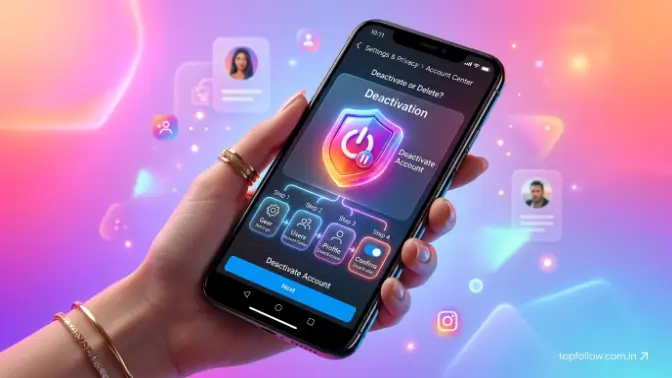
Welcome to topfollow. Many people choose to deactivate their Instagram account when they need a break from social media. They may want to focus on their work, studies, personal life, or simply protect their privacy. Instead of permanently deleting the account, deactivation is a better option because it temporarily hides the profile while keeping all important information safe. By learning how to deactivate an Instagram account, users can take a break without losing their photos, followers, and account data.
When an Instagram account is deactivated, the profile, posts, comments, and likes are hidden from other users until the account is activated again. The account is not deleted, and users can return anytime by logging back in. This guide helps users understand the complete process of deactivating Instagram through both the mobile app and web browser, explains what happens after deactivation, and provides steps to reactivate the account when needed.
What Does It Mean to Deactivate an Instagram Account?
Deactivating an Instagram account means temporarily disabling your profile without permanently removing your photos, followers, messages, or other account data. When you deactivate your account, Instagram hides your profile, posts, comments, likes, and other activities from public view. Unlike deleting an account, deactivation allows you to return anytime by simply logging back in. Your account information remains saved, and once you reactivate it, your profile becomes visible again with all previous data restored. This option is useful for users who want to take a break from Instagram, improve privacy, reduce social media usage, or step away temporarily without losing their account.
What Happens After You Deactivate Instagram?
After you deactivate your Instagram account, your profile becomes temporarily hidden from other users. Your username, posts, reels, comments, and likes will not appear publicly, and people will not be able to view or interact with your account. However, Instagram does not delete your information. Your followers, following list, photos, and account settings remain saved and can be restored when you log back into your account.
After deactivation:
- Profile visibility: Your account will not appear in Instagram searches.
- Posts and reels: Your shared content becomes hidden but is not deleted.
- User interactions: Others cannot view or interact with your profile.
- Followers and following: Your connections remain saved.
- Account data: Your information stays available for future reactivation.
Your account is not permanently removed after deactivation. Instagram only pauses your public presence and keeps your data सुरक्षित until you decide to return. When you log in again, your profile and all connected information become available as before.
How to Deactivate Instagram Account on Mobile App
How to deactivate an Instagram account using the mobile app. Instagram provides the Accounts Center option, where users can manage account settings, including temporary deactivation. The process is almost the same for Android and iPhone users. Before starting, keep your login details ready because Instagram may ask for password verification. After deactivation, your profile, posts, reels, comments, and likes will be hidden, while your account data remains saved until you return.
Steps to Deactivate Instagram Account on Android and iPhone
The following steps show how to deactivate your Instagram account using the mobile app. These instructions work for both Android and iPhone devices:
- Open the Instagram app: Launch Instagram and log in to your account.
- Go to your profile: Tap your profile picture from the bottom-right corner.
- Open the menu: Tap the three-line icon and select Settings and privacy.
- Access Accounts Center: Open Accounts Center and choose Personal details.
- Select account control options: Go to Account ownership and control and tap Deactivation or deletion.
- Choose your account: Select the Instagram account you want to deactivate.
- Confirm deactivation: Select Deactivate account, continue, enter your password, and confirm the request.
After completing these steps, your Instagram account will be temporarily disabled. Your profile will no longer appear in searches, and your content will remain hidden until you log in again to reactivate your account. This makes deactivation a convenient option for users who want a break from Instagram without permanently losing their account.
Read also: 500+ Username Ideas for Instagram for Girls (Cute & Unique)
How to Deactivate Instagram Account Using a Web Browser
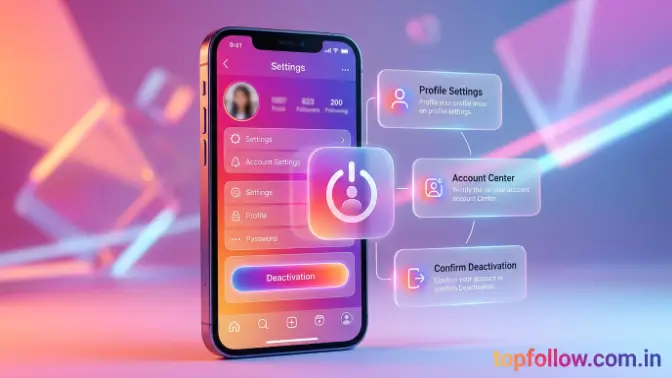
How to deactivate an Instagram account using a web browser on a computer or laptop. The browser method is useful when the deactivation option is difficult to find in the mobile app and allows users to manage account settings easily through the official website. Simply log in to Instagram, open Accounts Center, go to Account ownership and control, and select Deactivation or deletion. After confirming your password and completing the process, your profile, posts, and activity will be hidden until you log in again to reactivate your account.
Steps to Temporarily Disable Instagram Account on PC
The following steps explain how to deactivate your Instagram account from a desktop or laptop browser. By following these instructions, you can quickly access the correct settings and temporarily disable your profile.
- Open Instagram on your web browser: Visit the Instagram website using any browser.
- Log in with your account details: Enter your username and password to access your account.
- Click your profile picture: Open your profile menu from the top corner.
- Open Settings: Go to account settings to manage your profile options.
- Go to Accounts Center: Access Instagram’s account management section.
- Select Personal details: Open your account information settings.
- Choose Account ownership and control: Find options related to account management.
- Click Deactivation or deletion: Select the option for temporarily disabling your account.
- Select your Instagram account: Choose the account you want to deactivate.
- Choose the deactivate option: Continue with the deactivation process.
- Confirm your password: Enter your password to complete the request.
After completing these steps, your Instagram account will be temporarily hidden from other users. Your profile and content will not be visible until you log back into your account, which will automatically reactivate your Instagram profile. The browser method is a convenient option for users who prefer managing their account settings on a computer.
Difference Between Deactivating and Deleting Instagram Account
This section explains the difference between deactivating and deleting an Instagram account. Although both options hide your profile, they work differently. Deactivation is a temporary option that keeps your account data محفوظ and allows you to return anytime. Deletion permanently removes your profile and information. If you only want a break from Instagram, deactivation is the safer choice because you can restore your account whenever needed.
| Feature | Deactivate Instagram Account | Delete Instagram Account |
| Account status | Temporary and reversible | Permanent removal |
| Profile visibility | Hidden from other users | Completely removed |
| Photos and posts | Saved and restored after reactivation | Deleted permanently after the process |
| Followers | Remain preserved | Removed permanently |
| Recovery option | Easy by logging in again | Limited or unavailable |
| Best for | Taking a temporary break | Leaving Instagram permanently |
If you are unsure about leaving Instagram forever, deactivation is the better option because it allows you to pause your account without losing important data. Your photos, followers, and account settings remain safe, and you can return whenever you want. Permanent deletion should only be selected when you are completely sure that you no longer need your Instagram account.
How to Reactivate a Deactivated Instagram Account
How to restore a deactivated Instagram account and make your profile active again. When you temporarily deactivate your Instagram account, your profile and activity are hidden, but your account data remains محفوظ. Reactivating the account is a simple process because you do not need to create a new profile or complete a separate recovery process. You can return to Instagram anytime by logging in with your existing account details, and your photos, followers, posts, and settings will become available again. Before trying to reactivate your account, make sure you remember your login information, including your username and password, to complete the process successfully.
Steps to Restore Your Instagram Account
These steps explain how to reactivate your Instagram account after temporary deactivation. By following the correct login process, you can quickly restore your profile and continue using Instagram normally.
- Open the Instagram app or website: Launch Instagram on your phone or computer.
- Enter your username and password: Use your existing account details to sign in.
- Log in normally: Access your account like you usually do.
- Wait for Instagram to restore your profile: Instagram will automatically reactivate your account after successful login.
After logging in, your profile, posts, followers, likes, and other account information will become visible again. Your account will return to its previous state without losing any saved data.
Keep in mind that Instagram may limit how frequently you can deactivate and reactivate your account. Avoid switching between these options repeatedly and use deactivation only when you need a temporary break from Instagram.
Reasons People Deactivate Instagram Accounts
Main reasons why users choose to temporarily deactivate their Instagram accounts. Instead of permanently deleting their profiles, many people prefer deactivation because it allows them to take a break while keeping their account information محفوظ. Users may deactivate Instagram to improve privacy, reduce distractions, manage their time better, or step away from social media for personal reasons. This option gives them the flexibility to hide their online presence temporarily and return whenever they want without losing their posts, followers, or account data.
Common Reasons for Temporary Instagram Deactivation
People deactivate their Instagram accounts for different personal and lifestyle reasons. These reasons are often related to reducing digital pressure, improving focus, and creating a better balance between online and offline activities.
- Taking a break from social media: Helps users step away from Instagram for some time.
- Reducing screen time and improving focus: Allows users to avoid distractions and concentrate on important tasks.
- Protecting personal privacy: Keeps their profile hidden and limits online visibility.
- Avoiding unnecessary online interactions: Helps users manage unwanted messages or social pressure.
- Managing digital distractions: Creates more time for productive activities.
- Spending more time on offline activities: Encourages focus on family, work, studies, or hobbies.
Deactivating Instagram provides a simple way to pause your social media activity without permanently removing your account. It allows users to take control of their online presence while keeping the option to return whenever they are ready.
Common Problems When Deactivating Instagram and Solutions
The common problems users may face while trying to deactivate their Instagram accounts and how these issues can be solved. Sometimes users cannot find the deactivation option, face errors during the process, or experience unexpected account activity after disabling their profile. These problems usually occur because of app updates, account settings changes, login issues, or temporary technical errors. Knowing the possible causes and solutions makes it easier to complete the Instagram deactivation process successfully.
Instagram Deactivate Option Not Showing
If the Instagram deactivation option is not visible, it may be due to changes in Instagram’s settings layout or an outdated app version. Instagram regularly updates its interface, which can move account management options to different locations. In this situation, users should check the Accounts Center, update the Instagram app, or try accessing their account through a web browser. Logging out and logging back in can also refresh the account settings and help display the missing option.
If you cannot find the deactivation option:
- Update your Instagram app: Install the latest version to access updated settings.
- Check Accounts Center settings: Find the option under account ownership and control.
- Use a browser version: The web version may show the option more clearly.
- Log out and log in again: Refresh your account settings.
Unable to Deactivate Instagram Account
Sometimes Instagram does not allow users to deactivate their accounts because of incorrect passwords, connection problems, or temporary app issues. Before trying again, check that your login details are correct and your internet connection is stable. If the problem continues, waiting for some time, clearing the app cache, or restarting the application can help fix temporary errors that may be preventing deactivation.
If Instagram does not allow you to deactivate your account:
- Confirm your password: Make sure you are entering the correct login details.
- Check internet connection: A weak connection may interrupt the process.
- Try again later: Temporary issues may resolve automatically.
- Clear app cache: Remove temporary errors from the application.
Instagram Account Reactivates Automatically
If your Instagram account becomes active again after deactivation, it usually happens because you accidentally logged in. Instagram automatically restores a deactivated account when the user signs in, so opening the app or entering login details will reactivate the profile immediately. To keep your account disabled, avoid logging in until you are ready to return.
You can also prevent accidental reactivation by removing saved login information from shared devices and avoiding unnecessary access to the account. Once you decide to use Instagram again, simply log in normally to restore your profile and continue using the platform.
Important Things to Know Before Deactivating Instagram
Important things users should know before deactivating their Instagram accounts. Understanding these points helps you know how deactivation affects your profile, content, and account access. Instagram deactivation is a temporary process that hides your account instead of permanently removing it, but there are some important details to consider before completing the process. Knowing these facts allows you to take a break from Instagram safely without losing your account information or facing unexpected problems later.
Before you deactivate your account, keep these points in mind:
- Deactivation is temporary and reversible: You can restore your account anytime by logging back in.
- Your account information remains saved: Your posts, followers, photos, and settings stay محفوظ.
- Other users cannot view your profile while it is disabled: Your profile and activity remain hidden until reactivation.
- Instagram messages may still exist in other users’ inboxes: Previous conversations may remain available to other users.
- You may need your password to complete the process: Instagram requires verification to protect your account.
- Avoid sharing login details with third-party services claiming to deactivate accounts: Always use Instagram’s official settings for security.
Understanding these points helps you deactivate your Instagram account with confidence. By knowing how the process works, you can take a temporary break while keeping your account safe and ready for future use.
Tips for Managing Your Instagram Account Privacy
how users can improve their Instagram privacy and control their online activity without completely deactivating their accounts. Many users choose to disable Instagram because they want more privacy, fewer distractions, or better control over interactions. However, changing privacy settings can often solve these problems without removing your account from the platform. By managing different Instagram options, you can control who sees your content, reduce unwanted interactions, protect your personal information, and create a safer experience while continuing to use your account.
Better Alternatives Before Deactivating
Before how to deactivate an Instagram account, consider using privacy and account management features that provide more control over your profile. These options allow you to customize your Instagram experience by limiting visibility, reducing distractions, and managing interactions without taking your account offline.
- Make your Instagram account private: Control who can view your posts by approving followers manually.
- Turn off unnecessary notifications: Reduce distractions by disabling unwanted alerts.
- Restrict unwanted users: Limit interactions from specific accounts without blocking them.
- Limit screen time through device settings: Manage your daily Instagram usage and improve focus.
- Remove unwanted followers: Keep your follower list secure and comfortable.
These privacy settings can help you maintain a better Instagram experience without permanently disabling your account. By adjusting the right options, you can protect your privacy, reduce distractions, and stay in control of your online presence.
Frequently Asked Questions
Can I deactivate my Instagram account from the app?
Yes, you can deactivate Instagram through the mobile app by accessing Accounts Center and selecting the deactivation option.
How long can I keep my Instagram account deactivated?
You can keep your Instagram account deactivated until you decide to return. Logging in again will reactivate your profile.
Will I lose my photos after deactivating Instagram?
No. Deactivating your account does not delete your photos, followers, posts, or other account information.
Can people see my profile after I deactivate Instagram?
No. Your profile, posts, and activity are hidden from other users until you reactivate your account.
What is the difference between disabling and deleting Instagram?
Disabling or deactivating Instagram is temporary, while deleting an account permanently removes your profile and data after the deletion process is completed.
Conclusion
Learning how to deactivate an Instagram account helps users take a temporary break from social media without permanently removing their profile. Instead of deleting the account completely, deactivation hides your profile, posts, and activity while keeping your important information محفوظ. The process is simple and can be completed through the Instagram app or web browser by accessing the Accounts Center settings.
Before deciding to delete your Instagram account, consider deactivation as a safer option because it keeps your photos, followers, messages, and account details saved. When you feel ready to return, you can simply log in again, and Instagram will restore your profile so you can continue using your account normally.
