
Welcome to topfollow. Instagram is a platform where visual content matters a lot, so the quality and size of your images can affect how people view your posts. Using the correct Instagram post size helps your photos, videos, and designs look clear and professional. It also prevents problems like unwanted cropping, stretched images, or blurry uploads that can make your content look less attractive.
For creators, businesses, and marketers, knowing the right Instagram image dimensions is important for better content performance. Instagram has different formats like square posts, portrait images, Reels, and Stories, and each format requires a specific size and aspect ratio. Choosing the correct dimensions helps your content display properly on mobile screens and gives your audience a better viewing experience. This guide explains the best Instagram post sizes, image resolutions, resizing methods, and common mistakes to avoid.
What Is the Best Instagram Post Size?
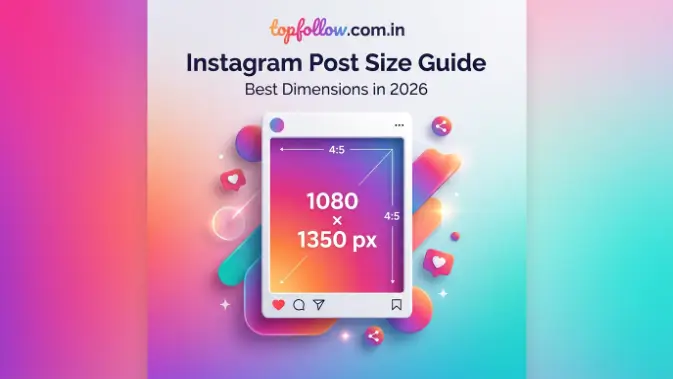
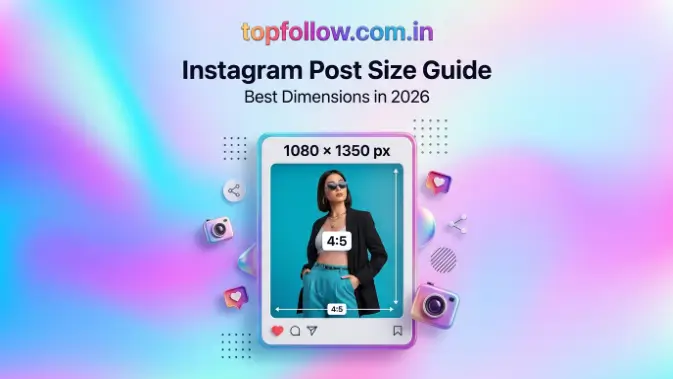
Instagram post size refers to the recommended dimensions and aspect ratios that help your content appear correctly on Instagram. Choosing the right size is important because different formats like portrait posts, square images, landscape photos, Stories, Reels, and carousel posts require specific dimensions to maintain quality. For regular feed posts, 1080 × 1350 pixels with a 4:5 aspect ratio is highly recommended because portrait images take more space on mobile screens and attract more attention. Using high-resolution images with the correct Instagram aspect ratio also helps prevent cropping and quality loss after Instagram compression.
Instagram Portrait Post Size (4:5 Ratio)
Instagram portrait posts are vertical images designed to provide more screen coverage on mobile devices. The recommended size for this format is 1080 × 1350 pixels with a 4:5 aspect ratio. This format is highly effective because it occupies more space in the Instagram feed, making your content easier for users to notice while scrolling. Portrait posts are commonly used by creators, businesses, and marketers because they provide enough space for detailed visuals, text, and promotional elements.
Portrait dimensions work well for different types of content, including:
- Product photos: Show products clearly with more visual detail.
- Educational graphics: Add tips, information, or tutorials in a readable format.
- Fashion content: Highlight clothing and lifestyle images effectively.
- Travel photography: Capture people and locations in a vertical view.
- Promotional posts: Create attractive marketing designs with more space.
When designing portrait images, keep important text, logos, and main elements away from the edges. This prevents important parts from being cropped when Instagram adjusts the display on different devices.
Instagram Square Post Size (1:1 Ratio)
Instagram square posts are one of the oldest and most recognizable formats on the platform. The recommended size is 1080 × 1080 pixels with a 1:1 aspect ratio, meaning the width and height are equal. Square images provide a balanced appearance and are still widely used because they look consistent across different devices and help maintain a clean Instagram profile layout.
Square posts are suitable for:
- Brand updates: Share company news and announcements.
- Quote graphics: Create simple and balanced text-based designs.
- Product announcements: Present products in an organized way.
- Simple visual content: Share photos and creative designs easily.
Although square posts take less space compared to portrait images, they remain a reliable choice for users who want a neat and professional-looking Instagram feed. Many businesses continue using this format because it creates a consistent visual style.
Instagram Landscape Post Size (1.91:1 Ratio)
Instagram landscape posts are horizontal images designed for content that requires a wider view. The recommended size is 1080 × 566 pixels with a 1.91:1 aspect ratio. This format is useful when the subject of the image needs more horizontal space, such as wide landscapes, group photos, or detailed scenes.
Landscape posts work well for:
- Professional photography: Display wide-angle images with more background details.
- Group pictures: Fit multiple people naturally into one frame.
- Scenic images: Showcase large locations and environments.
- Wide product displays: Present products that require horizontal space.
However, landscape images usually appear smaller in the Instagram feed because most users browse content on vertical mobile screens. For better visibility and engagement, portrait dimensions are often preferred, but landscape format is still a good option when the image depends on a wider composition.
Instagram Post Size for Different Content Types
Instagram supports different types of content, and each format requires specific dimensions to display properly. Choosing the correct Instagram post size helps your photos, videos, and graphics appear clear, professional, and visually attractive. Whether you are uploading feed posts, Stories, Reels, or carousel content, using the recommended dimensions prevents unwanted cropping, stretching, and quality loss.
| Instagram Content Type | Recommended Size | Aspect Ratio |
| Portrait Feed Post | 1080 × 1350 pixels | 4:5 |
| Square Feed Post | 1080 × 1080 pixels | 1:1 |
| Landscape Feed Post | 1080 × 566 pixels | 1.91:1 |
| Instagram Story | 1080 × 1920 pixels | 9:16 |
| Instagram Reel | 1080 × 1920 pixels | 9:16 |
| Carousel Post | 1080 × 1080 or 1080 × 1350 pixels | 1:1 or 4:5 |
Using the correct dimensions for each Instagram format ensures that your content maintains its sharpness and looks consistent across different devices. It also helps Instagram display your images and videos properly without automatically cutting important parts.
Instagram Carousel Post Size
Instagram carousel posts allow users to upload multiple images or videos in a single post, making them useful for sharing detailed information, guides, and collections. A properly sized carousel ensures that every slide looks consistent and provides a better experience for users who swipe through the content.
The recommended carousel sizes are:
- 1080 × 1080 pixels (Square): Suitable for simple and balanced designs.
- 1080 × 1350 pixels (Portrait): Better for mobile visibility because it takes up more screen space.
For the best results, use the same dimensions for every image in a carousel. Mixing different sizes may cause Instagram to crop images automatically, which can affect the design and remove important details.
Carousel posts are useful for:
- Step-by-step guides: Share processes in multiple easy-to-follow slides.
- Tutorials: Explain tips or instructions clearly.
- Product collections: Display multiple products in one post.
- Before-and-after comparisons: Show changes or improvements effectively.
- Educational content: Provide valuable information in a swipeable format.
Instagram Video Post Size
Instagram video content requires the correct dimensions to maintain quality and provide a better viewing experience. Using the recommended video size helps your content fit properly on mobile screens while avoiding unwanted cropping or reduced clarity. The ideal Instagram video size is 1080 × 1920 pixels with a 9:16 aspect ratio, which is mainly used for vertical videos.
This size is commonly used for:
- Instagram Reels: Short vertical videos created for better engagement.
- Stories: Full-screen temporary video content.
- Full-screen videos: Mobile-friendly videos that use the entire display area.
For feed videos, make sure your content follows Instagram’s supported aspect ratios to prevent cropping issues. Using high-quality MP4 files with the correct resolution also helps maintain better video clarity after uploading and reduces the impact of Instagram compression.
Read also: Save Instagram Video: Easy Ways to Download Videos
Instagram Post Size Requirements and File Specifications
Apart from selecting the correct Instagram post size, it is also important to understand file quality, image resolution, and supported formats before uploading content. Instagram automatically compresses uploaded images and videos, so using high-quality files helps prevent blurry visuals and maintains a professional appearance. The right dimensions, resolution, and file format work together to ensure your content looks clear and attractive across different devices.
Recommended Image Resolution
Image resolution plays an important role in maintaining the quality of your Instagram posts. Even if you use the correct Instagram dimensions, a low-resolution image may appear blurry or pixelated after uploading. Using high-quality images gives Instagram a better source file to process, helping your photos, graphics, and text remain sharp after compression.
For the best results:
- Use images at least 1080 pixels wide: Keeps images clear and detailed.
- Avoid low-quality files: Prevents blurry or unclear visuals.
- Export designs in high resolution: Maintains better quality for graphics.
- Keep text readable: Ensures important information remains visible.
High-resolution images reduce the chances of quality loss and help your Instagram posts look more professional and engaging.
Supported File Formats
Instagram supports different file formats for images and videos to provide better compatibility and quality. Choosing the correct format helps maintain the balance between visual quality and file size, making uploads smoother while keeping your content clear.
Instagram supports:
Images:
- JPG: Best for regular photos with smaller file sizes.
- PNG: Useful for graphics, logos, and designs that require better clarity.
Videos:
- MP4: Commonly used for Reels and video posts because it provides good quality with manageable file size.
- MOV: Supported for high-quality video uploads.
For most users, JPG images and MP4 videos are the best choices because they offer good quality while keeping files optimized for Instagram uploads. Using supported formats ensures your images and videos display correctly without unnecessary quality problems.
How to Resize Images for Instagram Posts
If your image does not match the recommended Instagram post size, resizing it before uploading helps your content display correctly and maintain its professional look. Different Instagram formats like feed posts, Stories, Reels, and carousel posts require specific dimensions, so adjusting your images according to these requirements prevents problems like unwanted cropping, stretching, or poor quality. Proper resizing ensures that important details, text, and visuals remain clear when viewed on different devices.
Resize Using Editing Tools
Using the right editing tools makes resizing Instagram images easier and more effective. Many design and editing platforms provide ready-made Instagram templates with recommended dimensions, allowing users to create properly sized content without manually adjusting measurements. These tools help maintain image quality while making it easier to prepare posts for different Instagram formats.
Popular tools for resizing Instagram images include:
- Canva: Offers Instagram templates with correct dimensions for quick designs.
- Adobe Photoshop: Provides advanced options for accurate image resizing.
- Mobile photo editing apps: Allow easy resizing directly from smartphones.
Most design tools include Instagram presets where you can select the required size automatically. For example, Canva’s Instagram Post template usually provides a 1080 × 1080 pixel canvas, helping users create properly formatted feed posts.
Resize Without Losing Quality
Resizing images correctly is important because poor resizing methods can reduce image clarity and make your Instagram posts appear blurry. Starting with a high-quality image and using the correct settings helps maintain sharp details, readable text, and professional visuals after uploading.
Follow these tips when resizing images:
- Use a high-quality original image: Provides better results after resizing.
- Maintain the correct aspect ratio: Prevents distortion and unwanted cropping.
- Avoid repeated resizing: Protects image quality from unnecessary compression.
- Export with high-quality settings: Keeps images clear and sharp.
Proper resizing helps your Instagram photos maintain their quality, making your content look more professional and visually appealing on the platform.
Common Instagram Post Size Mistakes to Avoid
Many users create low-quality or poorly formatted Instagram posts because they ignore the importance of correct Instagram post size, image resolution, and aspect ratio. Even a well-designed post can lose its professional look if it is uploaded with incorrect dimensions. Instagram automatically adjusts and compresses uploaded content, which can lead to blurry images, unwanted cropping, or missing important details. Avoiding common size-related mistakes helps your photos, videos, and graphics appear clear, attractive, and properly optimized for different devices.
Uploading Low-Resolution Images
Uploading low-resolution images can reduce the overall quality of your Instagram posts. When a small or low-quality image is uploaded, Instagram may stretch and compress it, causing it to look blurry, pixelated, or less professional. This problem is especially noticeable in posts that contain text, logos, or detailed designs.
To avoid this issue, always use high-quality original images with recommended Instagram dimensions. A better-quality source image helps maintain sharp details and ensures your content remains clear after Instagram processing.
Using Incorrect Aspect Ratios
Using the wrong aspect ratio can affect how your Instagram post appears after uploading. When an image does not match Instagram’s required format, the platform may automatically crop parts of the image, which can remove important details or affect the overall design.
To prevent cropping issues, always use the correct dimensions for each format. For example, portrait posts work best at 1080 × 1350 pixels, square posts at 1080 × 1080 pixels, and landscape posts at 1080 × 566 pixels. Choosing the right aspect ratio ensures your content displays exactly as planned.
Placing Text Near Edges
Placing important text, logos, or design elements too close to the edges of an image can create visibility problems. Instagram may crop certain areas depending on the device or display format, which can remove important parts of your design.
To maintain a clean layout, keep important elements inside the safe area of your image. Leaving enough space around the borders ensures that your message remains visible and your design looks balanced on all screens.
Mixing Different Carousel Sizes
Using different image sizes within the same Instagram carousel can make your content look inconsistent. When carousel slides have different dimensions, Instagram may adjust or crop some images automatically, which can affect the user experience.
For better results, use the same dimensions for every carousel slide. A consistent size keeps the design organized, creates a smooth swiping experience, and makes your carousel look more professional.
Ignoring Mobile Display
Instagram is mainly used on smartphones, so it is important to consider how your posts appear on mobile screens. A design that looks perfect on a computer may have cropping, spacing, or readability issues when viewed on a smaller device.
Before publishing, always preview your post on mobile and check that images, text, and important elements are clearly visible. Testing your content helps you fix formatting problems and ensures your Instagram posts look professional everywhere.
Tips to Create Better Instagram Posts
Creating better Instagram posts requires more than just using the correct Instagram post size. While proper dimensions help your content display correctly, good design also improves engagement and provides a better experience for your audience. A well-designed Instagram post should be visually attractive, easy to understand, and optimized for mobile users. By focusing on clear visuals, consistent branding, and proper testing before publishing, you can create content that looks professional and performs better.
Design for Mobile Viewing
Since most Instagram users browse content on smartphones, your posts should be designed specifically for smaller screens. Text, images, and important details should remain clear and easy to read without requiring users to zoom in. Using simple layouts, readable fonts, and clear visuals helps your audience understand your message quickly while scrolling.
Avoid adding too much information or too many design elements in a single post because crowded designs can make your content difficult to understand. Keep your layout clean, use proper spacing, and highlight the most important information to create a more attractive and user-friendly Instagram post.
Use Consistent Branding
A consistent visual style helps your Instagram profile look more professional and makes your content easier for users to recognize. When your posts follow a similar design pattern, your audience can quickly identify your brand and develop familiarity with your content.
Maintain a consistent visual style by using:
- Similar colors: Create a connected look across posts.
- Matching fonts: Keeps designs organized and professional.
- Recognizable elements: Helps build brand recognition.
A consistent Instagram feed creates a stronger brand identity and gives your profile a more trustworthy and polished appearance.
Test Before Publishing
Testing your Instagram posts before publishing helps you find and fix possible design issues. Even a well-created post can have problems like incorrect cropping, unreadable text, or reduced image quality after uploading. Reviewing your content before sharing ensures that everything appears correctly on different devices.
Before posting:
- Preview the image: Check the overall design.
- Check cropping: Ensure important elements are visible.
- Confirm text visibility: Make sure the message is readable.
- Check image quality: Verify that visuals remain clear.
A quick review before publishing can prevent formatting mistakes and help your Instagram posts look professional, attractive, and ready for your audience.
Frequently Asked Questions
What is the best Instagram post size?
The best Instagram post size is 1080 × 1350 pixels with a 4:5 aspect ratio for feed posts. It takes more space on mobile screens and helps your content get better visibility.
What size should Instagram photos be?
Instagram photos should ideally be 1080 pixels wide. Common sizes include 1080 × 1080 pixels for square posts, 1080 × 1350 pixels for portrait posts, and 1080 × 566 pixels for landscape posts.
What is the Instagram Reel size?
The recommended Instagram Reel size is 1080 × 1920 pixels with a 9:16 aspect ratio. This format is designed for full-screen mobile viewing.
Does Instagram reduce image quality?
Yes, Instagram compresses images and videos after uploading. Using high-resolution files and correct dimensions helps reduce quality loss.
Can I upload different sizes in an Instagram carousel?
It is better to use the same size for all carousel images. Different dimensions may cause automatic cropping and affect the overall appearance.
Conclusion
Using the correct Instagram post size helps your content appear professional and improves the overall quality of your images and videos. The right dimensions ensure that your photos, Reels, Stories, and carousel posts are displayed properly without unwanted cropping or formatting issues. Choosing the recommended sizes also creates a better viewing experience for your audience and makes your content look more polished.
For most Instagram feed posts, 1080 × 1350 pixels is the preferred size, while 1080 × 1920 pixels works best for Stories and Reels. Using high-resolution files and checking your posts before publishing helps maintain clarity and avoid mistakes. By following the correct Instagram image dimensions and design practices, you can create more attractive, engaging, and effective posts that perform better on the platform.
