
Welcome to top follow. WhatsApp has emerged as one of the most widely used communication applications in the world, connecting billions of people every day. For every individual who uses WhatsApp, understanding the WhatsApp symbols is essential, because these icons are not merely decorative but provide crucial information regarding message status, privacy, calls, media sharing, and group management. Many users encounter these symbols daily but are often unaware of their exact meanings, which can lead to confusion or misinterpretation. This comprehensive guide will help you fully understand every WhatsApp symbol and utilize the application with greater confidence and efficiency.
“Every symbol in WhatsApp carries vital information. Recognizing them enhances communication and reduces misunderstandings.”
The WhatsApp Logo and Its Significance
The WhatsApp logo is a green speech bubble enclosing a white telephone receiver, which is simple yet profoundly meaningful. The green color represents trust, reliability, and positivity, while the speech bubble conveys instant communication. The telephone icon signifies the core function of WhatsApp: connecting people through calls and messages. The logo is globally recognized and instantly signals safe, secure, and real-time communication. Understanding the symbolism of the logo provides users with a deeper appreciation for the design and purpose of the application.
“The WhatsApp logo is a promise of secure, reliable, and instant communication across the globe.”
Read Also: WhatsApp font style
Message Status Symbols
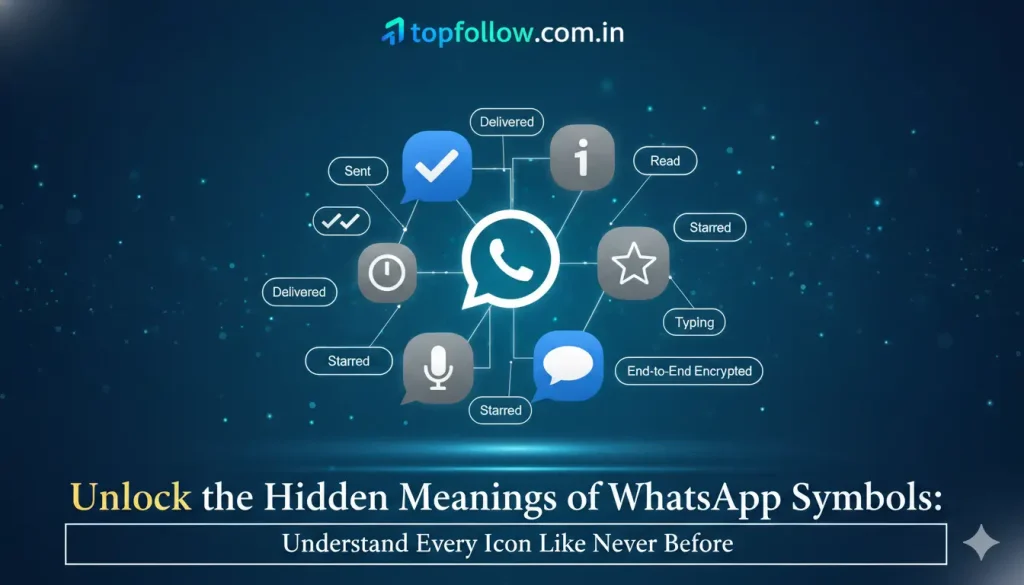
Free Instagram, one of the most important aspects of WhatsApp is understanding message status, which is visually indicated through different symbols. These symbols allow users to track the progress of their messages accurately.
- Single Gray Check Mark
This symbol indicates that the message has been successfully sent from the sender to the WhatsApp server. It does not guarantee that the recipient has received the message on their device. - Double Gray Check Marks
This symbol signifies that the message has been successfully delivered to the recipient’s device, but it has not yet been read. - Double Blue Check Marks
The double blue check marks indicate that the recipient has read the message. This feature is available only if the recipient has enabled read receipts. - Clock Icon
A clock icon appears when the message is still pending due to network issues or connectivity problems, and it has not yet been sent to the server.
“Understanding message status symbols prevents miscommunication and ensures that every message is delivered and read effectively.”
Chat and Status Icons
WhatsApp includes various icons within chats and status updates to improve usability and enhance communication.
- Camera Icon
The camera icon allows users to capture and send photos or record videos directly from the application. - Paperclip Icon
This icon provides the functionality to attach documents, files, contacts, and locations to a chat. - Eye Icon
The eye symbol indicates how many people have viewed a user’s status update, offering insights into reach and engagement. - Mute Icon
The mute icon indicates that notifications for a particular chat or group have been silenced. - Pin Icon
This icon is used to keep important chats at the top of the chat list for easy access. - Star Icon
The star icon allows users to mark a message as important, which can later be easily retrieved from the starred messages section.
These symbols help users perform tasks efficiently without having to search through multiple menus.
Call Symbols in WhatsApp
WhatsApp also provides symbols for voice and video calls, which are critical for real-time communication.
- Phone Icon
This symbol represents a voice call between users. - Video Camera Icon
This icon is used to initiate a video call with another user, allowing visual interaction. - End Call Icon
During a call, this symbol allows the user to end the conversation safely. - Microphone Icon with Slash
This symbol indicates that the user’s microphone has been muted during a call, preventing the recipient from hearing their voice.
“Call icons are gateways to real-time conversations that are clear, reliable, and immediate.”
Group Chat Symbols
Group chats have unique symbols that indicate specific functionalities:
- Group Icon
Represents multiple participants within a chat, allowing users to identify group conversations quickly. - Admin Badge
This symbol identifies which participants have administrative privileges, including the ability to add or remove members and control group settings. - Mention Symbol (@)
This icon highlights when a user has been specifically tagged in a group message, ensuring that their attention is drawn to the message. - New Member Icon
Indicates when a new participant has joined the group. - Muted Group Icon
Shows that the user has muted notifications for the group, which helps reduce distractions while remaining a participant.
Understanding these symbols ensures efficient communication and prevents users from missing important updates.
Privacy and Security Symbols
WhatsApp places strong emphasis on privacy and security, which is visually represented through symbols:
- Lock Icon
Indicates that the chat is end-to-end encrypted, ensuring that only the sender and recipient can read the messages. - Shield Icon
Represents additional security measures, such as two-step verification or blocked contacts. - Business Verified Icon
A verified check mark next to business accounts demonstrates authenticity, allowing users to trust messages from business contacts.
“Security symbols are visual assurances that personal conversations are private and protected.”
Media and File Sharing Symbols
WhatsApp provides dedicated symbols for sharing various types of media:
- Document Icon
Used to attach files such as documents, spreadsheets, and presentations to chats. - Image and Video Icon
Indicates media files that can be shared or viewed within the chat or status. - Audio Icon
Represents voice notes or audio files sent in a conversation. - Forward Icon
Allows messages, images, or files to be forwarded to multiple contacts efficiently.
“Media symbols enhance the ability to share information quickly, clearly, and effectively.”
Emoji and Reaction Symbols
Emojis and reactions have become a vital part of communication on WhatsApp, providing emotional context:
- Smiley Face Icon
Used to insert emojis into messages, enhancing expression and conveying feelings. - Reaction Icons
Allow users to respond to messages with various emojis, such as thumbs up, hearts, or laughter, without typing a reply. - Sticker Icon
Represents customized stickers that convey emotions or reactions more vividly than traditional text.
By understanding and using these symbols effectively, users can improve interaction and reduce misunderstandings in digital communication.
Uncommon or New WhatsApp Symbols
Occasionally, WhatsApp introduces new symbols, which may confuse users if they are unfamiliar:
- Shared Files View Icon
Provides an overview of all shared media and files in a particular chat, improving organization and accessibility. - Business Chat Symbols
Business accounts may display symbols for catalog items, quick replies, or automated messages to enhance communication with customers. - Temporary Glitches
Sometimes symbols may appear incorrectly due to software glitches, which are typically resolved with updates.
Being aware of these symbols helps users adapt quickly to new features and improves overall app usability.
Table of Key WhatsApp Symbols and Their Meanings
| Symbol | Meaning |
| Single Gray Check | Message sent to server |
| Double Gray Check | Message delivered to the recipient |
| Double Blue Check | Message read by the recipient |
| Clock | Message pending due to the network |
| Phone | Voice call |
| Video Camera | Video call |
| Lock | End-to-end encrypted chat |
| Star | Important message |
| Paperclip | Attach documents or files |
| Camera | Capture a photo or a video |
| Eye | Status viewers |
| Pin | Pinned chat |
| @ | Mention in group chat |
| Shield | Security settings |
This table serves as a quick reference to understand the most common WhatsApp symbols.
Tips for Using WhatsApp Symbols Effectively
- Always check message status symbols to confirm delivery and reading.
- Use starred messages to quickly locate important conversations.
- Pay attention to security icons for encrypted chats.
- Mute group notifications selectively to avoid distractions.
- Explore reaction and emoji symbols to improve emotional expression in messages.
“Symbols act as a map for communication, guiding every conversation with clarity and confidence.”
Common Misunderstandings About WhatsApp Symbols
Many users misinterpret symbols, which can lead to confusion:
- Blue check marks will not appear if the recipient has disabled read receipts.
- A single gray check mark does not indicate a failed message; it simply means the message has been sent to the server.
- The lock icon does not prevent screenshots or forwarding; it only ensures end-to-end encryption.
Being aware of these details prevents unnecessary frustration and ensures an accurate understanding of all communications.
Advanced Symbol Features for Power Users
Experienced users can take advantage of advanced features indicated by symbols:
Archived Chat Symbol
Indicates chats have been moved to the archive for better organization of the main chat list.
Broadcast List Icon
Represents sending messages to multiple contacts without creating a group.
Business Profile Symbols
Include icons for product catalogs, services, and automated replies for business interactions.
“Advanced symbols allow users to maximize efficiency, organization, and control in WhatsApp communication.”
Frequently Asked Questions
What does a single gray check mark mean?
A single gray check mark indicates that the message has been successfully sent to the WhatsApp server but has not yet been delivered to the recipient.
What is the difference between double gray check marks and double blue check marks?
Double gray check marks indicate message delivery, while double blue check marks indicate that the recipient has read the message.
What does the lock symbol signify in WhatsApp?
The lock symbol indicates that the chat is end-to-end encrypted, ensuring only the sender and recipient can read the messages.
How can I know who viewed my WhatsApp status?
The eye icon shows the number of viewers and their names who have seen your status update.
What is the purpose of the star icon?
The star icon allows users to mark messages as important so they can be easily retrieved later.
Can symbols appear incorrectly?
Yes, symbols may appear differently due to software glitches, app updates, or user settings. Keeping the application updated ensures an accurate display of all icons.
Conclusion
WhatsApp symbols are an integral part of the application, providing clarity, efficiency, and security in every conversation. From message status icons to privacy indicators, each symbol offers essential information that helps users communicate effectively. By understanding these symbols, users can avoid miscommunication, navigate the application with confidence, and leverage all features for personal and professional purposes. Mastering WhatsApp symbols ensures that users are fully informed, engaged, and capable of using the platform to its maximum potential. Recognizing the significance of these symbols transforms the way users interact with WhatsApp, making communication seamless, accurate, and enjoyable.
